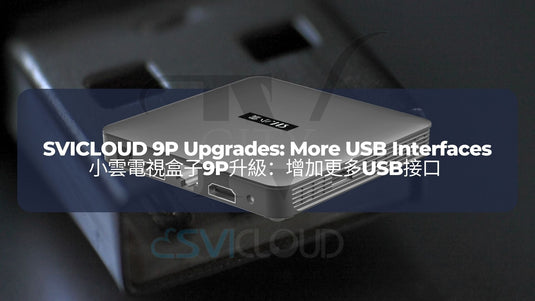
小雲電視盒子9P升級 2:增加更多USB接口 | SVICLOUD 9P Upgrades 2: More USB Interfaces
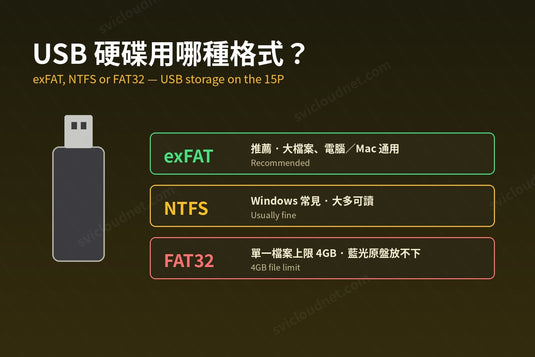
Upgrade your home entertainment system with the latest SVICLOUD TV Box 9P and experience the convenience of additional USB interfaces. The SVICLOUD 9P has taken a step further in enhancing user experience by adding one more USB interface compared to its predecessor, the SVICLOUD TV Box 8P. While it may seem like a simple upgrade, it holds significant technological value. Through careful consideration of volume, appearance, and functionality, the SVICLOUD team has managed to incorporate an additional interface into the design, providing users with greater comfort and convenience in their usage.
透過最新的小雲電視盒子9P,升級您的家庭娛樂系統,體驗更多USB接口帶來的便利。相較於前一代的小雲電視盒子8P,小雲9P在提升用戶體驗方面更上一層樓,增加了一個額外的USB接口。雖然這看似一個簡單的升級,卻具有重要的技術價值。在考慮到體積、外觀和功能的平衡下,小雲團隊成功將一個額外的接口融入到設計中,為用戶提供更大的舒適度和便利性。
SVICLOUD 小雲電視盒子9P:靈活連接各種USB設備 Flexibility to connect various USB devices
Having multiple USB interfaces on the SVICLOUD 9P opens up a world of possibilities. You can connect various USB devices to expand the functionality of your TV box. The additional USB interfaces on the SVICLOUD 9P give you the flexibility to do so.
擁有多個USB接口的小雲9P為您帶來無限可能。您可以連接各種USB設備,擴展您的電視盒子的功能。小雲9P的額外USB接口為您提供了靈活性。

SVICLOUD 小雲電視盒子9P:擴展同時連接的設備數量 Expand the number of devices that connect simultaneously
With the additional USB interfaces, you can also connect USB hubs to further expand the number of devices you can connect simultaneously. This is particularly useful for those who want to streamline their setup. The versatility of the SVICLOUD 9P allows you to create a personalized entertainment hub tailored to your preferences.
憑藉額外的USB接口,您還可以連接USB擴展器,進一步擴展您可以同時連接的設備數量。這對於那些希望簡化設置的用戶來說尤為有用。小雲9P的多功能性使您能夠創建一個根據自己偏好定制的娛樂中心。
SVICLOUD 小雲電視盒子9P:便利使用 User-friendly
Upgrade to the SVICLOUD 9P and enjoy the convenience of having more USB interfaces at your disposal. Streamline your entertainment setup, connect additional devices, and unlock a world of possibilities. Whether you want to improve your input methods, or connect multiple peripherals simultaneously, the SVICLOUD 9P is designed to cater to your needs.
升級至小雲9P,享受擁有更多USB接口帶來的便利。簡化您的娛樂設置,連接額外的設備,打開無限可能。無論您想改進輸入方式還是同時連接多個外設,小雲9P都能滿足您的需求。
Don't miss out on this exciting upgrade! Enhance your entertainment experience with the SVICLOUD 9P and its additional USB interfaces. Enjoy seamless connectivity, expanded functionality, and a user-friendly interface. Embrace the future of enjoyful entertainment with the SVICLOUD 9P.
不要錯過這次令人興奮的升級!藉助小雲9P及其額外的USB接口,提升您的娛樂體驗。享受無縫連接、功能擴展和用戶友好的界面。與小雲9P一同擁抱美好娛樂的未來
SVICLOUD 9P 小雲電視機頂盒 9P

延伸閱讀 / Related Reading
支援與教學 / Support & Guides
- 查詢訂單 — Track Your Order(輸入訂單編號即可查看物流狀態 / live carrier status)
- 小雲盒子完整安裝教學 — Complete Setup Guide
- 問題排解 — Troubleshooting
- 產品常見問題 — Product FAQs
- 售後服務與保固 — After-Sales & Warranty