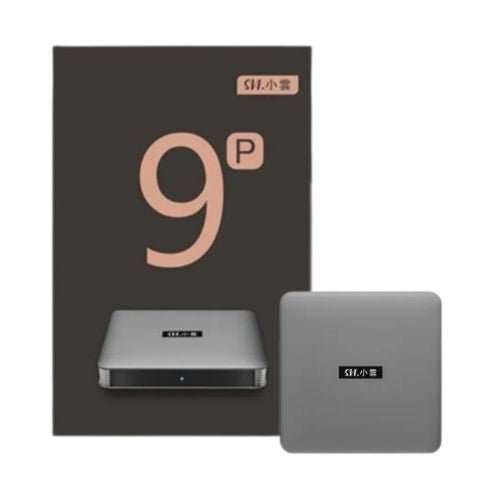
注意:SVICLOUD 9P 已經停售。現貨型號:10P+|10S|新一代 15P 現已發售
Note: the SVICLOUD 9P is discontinued. Current models: 10P+ | 10S | new flagship 15P, now available
SVICLOUD | 9P unboxing 小雲電視盒子 9P 開箱
SVICLOUD 9P is the latest SVICLOUD tv box that work with Android 12.0 system, 2.4G & 5.8G Dual Frequency Wi-Fi , AV1 HDR without buffering function, and 4GB + 64GB largeStorage. It also updated HDMI CEC function, added USB interfaces, ventilation holes, and SMART RCU technology with customizable shortcut buttons for remote control.
小雲電視機頂盒 9P 是最新的SVICLOUD電視盒子,搭載Android 12.0系統,支持2.4G和5.8G雙頻Wi-Fi,AV1 HDR無卡頓高清畫面,以及4GB + 64GB超大容量存儲空間。此外,它還升級了HDMI CEC功能,增加了USB接口、散熱孔和支持可自定義快捷鍵,並採用了SMART RCU 技術。
So, what's inside the SVICLOUD 9P package? Let's continue the reading!
那麼,小雲電視機頂盒 9P 的包裝內有什麼呢? 讓我們繼續閱讀吧!
Now, let's unbox the SVICLOUD 9P TV box together! 現在,讓我們一起開箱小雲電視機頂盒9P吧!
First, you can see the front of the package. Similar to 8P, the color design of the packaging box is mainly a combination of orange and gray. The difference is that, orange is the major part of the color design of the package box. The words "All in one entertainment" are printed on the front of the package, which means that you can enjoy all entertainment in one SVICLOUD TV box!
首先,你可以看到包裝的正面。跟8P一樣,包裝盒子的顔色設計也主要為橙色及灰色的搭配。與8P不同的是,橙色是最包裝盒主要的顔色設計。包裝的正面印有 "All in one entertainment" 字眼,代表娛樂盡在一個小雲電視機頂盒!
The front of the package also clearly lists the 10 features of SVICLOUD TV box 9P, including: the latest Android 10.0 operating system, 2.4G+5.8G Dual Frequency Wi-Fi, Blu-ray disc, 64-bit processor, H.265 Technology, ARM A53, 2GB memory + 16GB flash memory, large storage, support for Bluetooth voice control and 8K HDR ultra-high-definition display quality.
包裝的正面還清楚列出小雲電視機頂盒9P的10個功能特色,包括:最新安卓10.0運作系統、2.4G+5.8G 雙頻2T2R Wi-Fi 、藍光光碟、64位處理器、H.265編碼技術、ARM A53、2GB内存 + 16GB閃存儲存空間、支持藍牙語音及8K HDR超高清畫質。
(包裝正面特色特寫)
"Life on cloud" is printed on the left side of the box.
包裝盒的左邊印有 "Life on cloud" 字眼。
(包裝側面)
The brand logo of SVICLOUD is printed on the right side of the box.
包裝盒的右邊印有小雲電視盒子的品牌標誌。
(包裝右邊品牌)
Unboxing the package, you can see that SVICLOUD 9P is protected by a white package bag.
打開包裝盒後,你可以看到小雲電視機頂盒9P機身被白色包裝袋保護著。
(打開包裝正面)
It's is designed in black color. You can see the brand logo of SVICLOUD printed there.
機身為黑色設計,不容易弄髒!你可以看到機身上面印有小雲電視盒子的品牌標誌。
(正面機身)
Turning to the side, you can see that the different ports of the SVICLOUD 9P, including 2 USB port and a TF port.
翻到側面,你可以看到SVICLOUD 9P 的不同接口,包括2個USB插口,加上一個放記憶卡的TF插口。
(側面接口)
後方是電源孔、AV接口、Lam接口、HDMI插口。
The port on the back of 9P are the power port, AV port, Lam port and HDMI port.
(另一面接口)
In addition, the box also has other accessories, includes the user manual, remote control, HDMI cable, and power supply. The accessories are packed in a bag or thread and are well packaged. After unpacking the accessories, you can use them immediately.
此外,包裝盒還有其他配件,包括使用説明書、遙控、HDMI線、電源供應器。配件被一個袋或線裝好,包裝得很好。拆開後,即可使用不同的配件。
(包裝連機身)
After connecting SVICLOUD 9P to the TV, you can see the home page of 9P. I'm so ready for enjoying the great entertainment!
連接上電視,就可以看到小雲電視盒子 9P 的首頁界面。我準備好9P的無盡享受了!
Want to know more? Check out the product details!
想了解更多?來產品詳情看看吧!
延伸閱讀 / Related Reading
支援與教學 / Support & Guides
- 查詢訂單 — Track Your Order(輸入訂單編號即可查看物流狀態 / live carrier status)
- 小雲盒子完整安裝教學 — Complete Setup Guide
- 問題排解 — Troubleshooting
- 產品常見問題 — Product FAQs
- 售後服務與保固 — After-Sales & Warranty