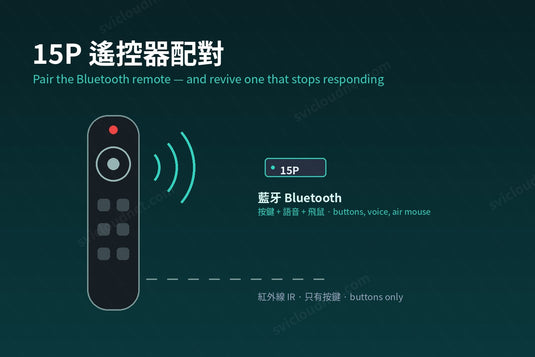
15P 隨機的遙控器同時有藍牙和紅外線兩種工作方式。很多「遙控器壞了」的情況,其實只是藍牙配對掉了、遙控器退回紅外線模式。先弄清楚兩者的分別,排解會快很多。
The 15P remote works over both Bluetooth and infrared. Most "broken remote" reports are a dropped Bluetooth pairing.
藍牙與紅外線的分別 / Bluetooth vs Infrared
| 藍牙 Bluetooth | 紅外線 Infrared | |
|---|---|---|
| 需要對準盒子 · Aim at the box | 不用 · No | 要 · Yes |
| 一般按鍵 · Buttons | ✓ | ✓ |
| 語音搜尋 · Voice search | ✓ | ✗ |
| 飛鼠指標 · Air mouse | ✓ | ✗ |
| 盒子藏在櫃內 · Box inside a cabinet | 正常 · Works | 經常失靈 · Unreliable |
所以如果按鍵正常、但語音或飛鼠用不到,幾乎可以肯定是藍牙沒有配對。
如何配對或重新配對 / How to Pair or Re-pair
- 第一次開機時,系統會自動顯示配對畫面,按提示同時按住指定按鍵約三秒後放開即可。
- 之後要重新配對:到「設定」中的遙控器與配件(Remotes & Accessories),選擇新增配件,再按住配對按鍵,待清單出現遙控器後選擇它。
- 配對時遙控器與盒子保持在一米內。
First boot shows the pairing screen. Later, go to Settings → Remotes & Accessories → add accessory, then hold the pairing keys with the remote within a metre of the box.
遙控器失靈:按這個次序排解 / Not Responding: Fix in This Order
- 換電池:電量低時藍牙最先斷線,紅外線還勉強可用,容易誤以為是配對問題。
- 對準盒子按鍵:如果對準才有反應,代表紅外線正常、藍牙掉線——重新配對即可。
- 完全沒反應:拔掉盒子電源 10 秒再開機,然後重新配對。
- 時好時壞:把盒子移出金屬櫃或電視後方;無線滑鼠接收器、2.4GHz 無線裝置過近也會干擾藍牙。
- 按一下電視也跟著反應:這是 HDMI-CEC 聯動,屬正常功能,可在電視或盒子設定中關閉。
用 15P 遙控器控制電視 / Controlling the TV Too
想用一個遙控器同時開關電視、調校音量,可以讓遙控器學習電視的按鍵——步驟見遙控器學習功能教學。
後備遙控器 / A Spare Remote
我們的藍牙語音遙控器適用於 9P、10P+ 及 15P,配對後按鍵、語音搜尋和快捷鍵都正常,但沒有飛鼠功能——飛鼠是 15P 隨機遙控器獨有的。飛鼠的用法見這篇教學。
The spare remote works with the 15P for buttons, voice and shortcuts, but has no air mouse — that is exclusive to the remote in the 15P box.
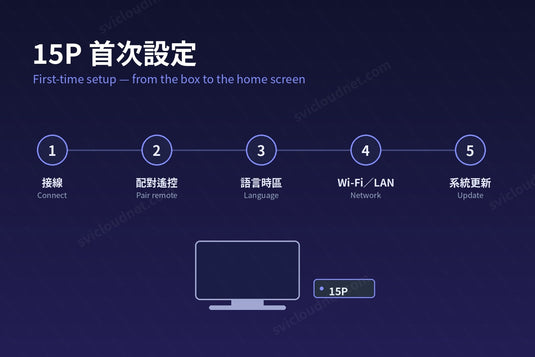
還未完成首次設定?請看 15P 首次設定教學。
小雲盒子 15P 是一部 Android 電視盒硬件;可觀看的內容取決於用戶自行安裝的應用程式,以及所在地區的版權規定。本文只說明技術設定。
The 15P is Android TV-box hardware; what you can watch depends on the apps you install and the copyright rules where you live. This article covers technical setup only.
延伸閱讀 / Related Reading
支援與教學 / Support & Guides
- 查詢訂單 — Track Your Order(輸入訂單編號即可查看物流狀態 / live carrier status)
- 小雲盒子完整安裝教學 — Complete Setup Guide
- 問題排解 — Troubleshooting
- 產品常見問題 — Product FAQs
- 售後服務與保固 — After-Sales & Warranty