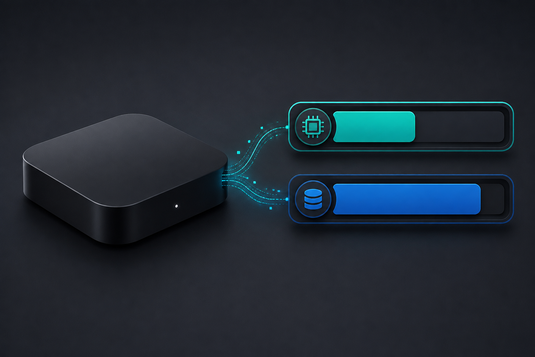
RAM 與儲存空間屬兩種不同規格 / RAM and Storage Are Two Different Things
選購電視盒子時常見「4GB + 64GB」這類標示,但不少用戶並不清楚兩個數字分別代表什麼。簡要說明如下:
Many buyers see a spec like "4GB + 64GB" without being clear on what each number means. Put simply:
-
RAM(記憶體,前一組數字):決定裝置可同時流暢運行多少項目。RAM 越大,切換應用程式及多工處理越順暢。關機後內容不會保留。
RAM (the first number) determines how much the device can run smoothly at once. Its contents are not retained after power-off. -
儲存空間 / ROM(後一組數字):決定可安裝的應用程式數量及可保存的檔案容量。關機後內容會保留。
Storage / ROM (the second number) determines how many apps you can install and how much you can keep. It persists after power-off.
常見誤解是「儲存空間越大越快」。實際上影響流暢度的主要為 RAM 與處理器,而非儲存容量。
A common misconception is that more storage means more speed. In reality, smoothness is driven mainly by RAM and the processor, not storage capacity.
實際需要多少 RAM?/ How Much RAM Do You Actually Need?
2GB RAM
足以應付單一用途的日常使用:觀看直播、劇集,以及使用一至兩個主要應用程式。若使用模式為「開機、選台、觀看」,2GB 已完全足夠。
Enough for straightforward single-purpose use: live TV, series, one or two main apps.
4GB RAM
適合需要同時運行多個應用程式、經常切換程式,或使用較高負載功能(如卡拉OK、遊戲、投屏同時進行)的用戶,長期使用的餘裕亦較充裕。
Better suited to users who run several apps at once or use heavier features simultaneously. It also leaves more headroom over the device's lifetime.
實際需要多少儲存空間?/ How Much Storage Do You Actually Need?
32GB
對多數用戶而言已屬足夠。串流內容不會佔用本機空間,因此除非需要安裝大量應用程式或下載大量檔案,32GB 一般不會用盡。
Sufficient for most users. Streamed content does not consume local storage.
64GB
適合需要安裝多款應用程式、會下載內容離線觀看,或希望多年內無需顧慮儲存空間的用戶。
Better for users who install many apps, download content for offline viewing, or want to not think about storage for several years.
SVICLOUD 型號對照 / How SVICLOUD Models Compare
- 10P+:4GB + 64GB — 旗艦配置,適合多工及較高負載使用 / flagship configuration
- 10S:2GB + 32GB — 高性價比,適合一般串流使用 / value option
- 15P:4GB + 64GB — 與 10P+ 相同配置,升級在處理器(Cortex-A55)與 Wi-Fi 6 / same 4GB + 64GB as the 10P+; the upgrade is the CPU and Wi-Fi 6
維持儲存空間充裕的方法 / Keeping Storage Healthy
- 定期移除不再使用的應用程式 / Remove apps you no longer use
- 清理應用程式快取(設定 → 更多 → 清理)/ Clear app caches
- 盡量保留至少 15–20% 可用空間 / Aim to keep at least 15–20% free
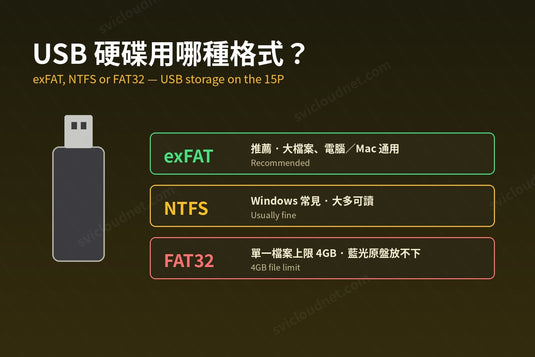
- 如需更多空間,可考慮外接 USB 儲存裝置 / Consider external USB storage
儲存空間長期接近用盡,是系統反應變慢的常見原因之一。如需了解更多效能相關處理方法,請參閱 電視盒子播放卡頓?十個常見解決方法。
Chronically full storage is a common cause of a sluggish system. For more on performance, see TV Box Buffering? 10 Common Fixes.
延伸閱讀 / Related Reading
支援與教學 / Support & Guides
- 查詢訂單 — Track Your Order(輸入訂單編號即可查看物流狀態 / live carrier status)
- 小雲盒子完整安裝教學 — Complete Setup Guide
- 問題排解 — Troubleshooting
- 技術規格與功能 — Technical Specs & Features
- 產品常見問題 — Product FAQs
- 售後服務與保固 — After-Sales & Warranty